
PRMIS Administration System.
Responsibility
User Research / UXUI Design / Prototyping
Design Tools
Figma / Figjam
Target User
(External User) Operators / Suppliers / Designated Return Point
(Internal User) Admin / Officers of Hong Kong Environmental Protection Department
Purpose
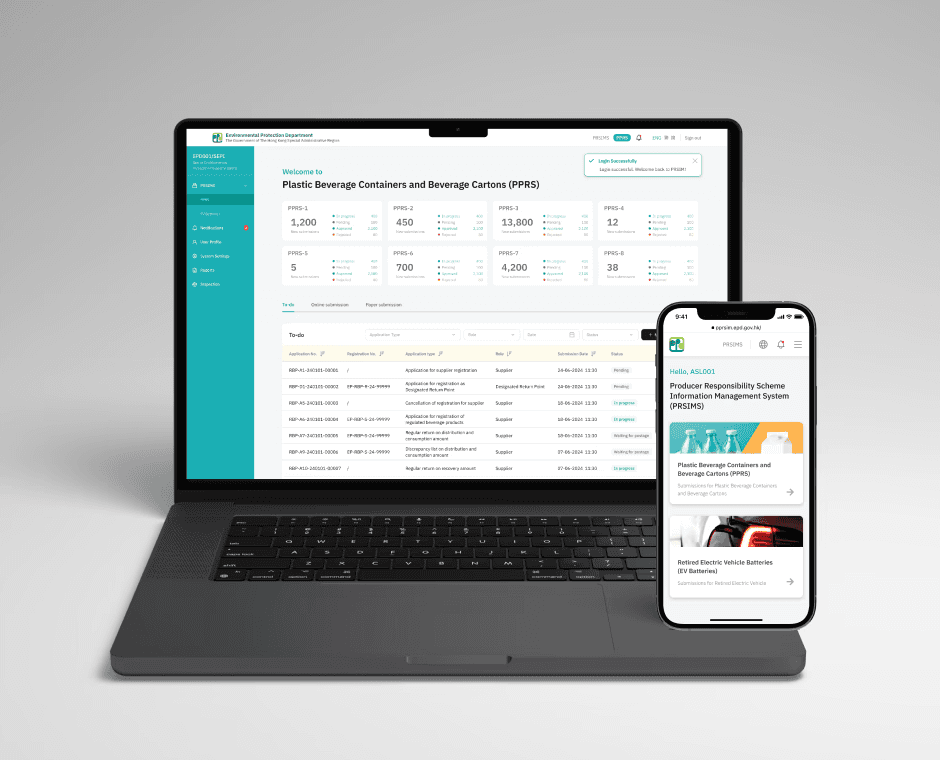
To provide a secure and user-friendly online portal for the user to submit applications and submissions, change of information during/after registration, endorsement of producer responsibility plan, etc. The System shall internal processing of the applications and submissions received by EPD users in a systematic, secure, reliable, efficient and convenient manner.
Design Period
May 2024 - Sep 2024
Application Review & Approval Workflow.
The system supports both online submissions and offline processing. Depending on the registration type, user roles, and specific scenarios, different workflows are implemented to ensure a seamless and efficient application process.
↓ Approval Workflow Diagram

Ideation & Prototyping.
Overview
Transitioning from paper-based processes to a seamless online experience in just a few clicks.
Dashboard
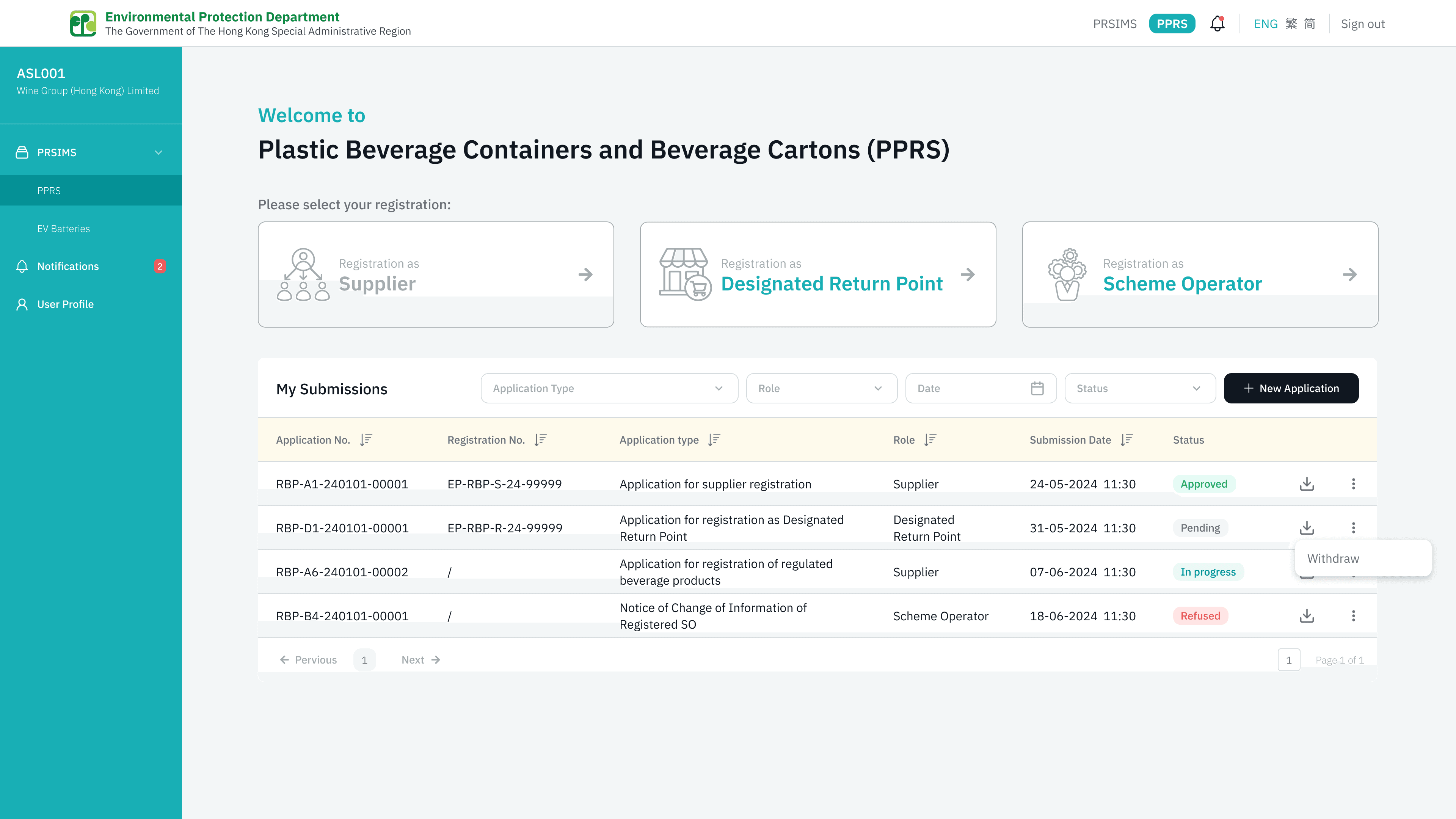
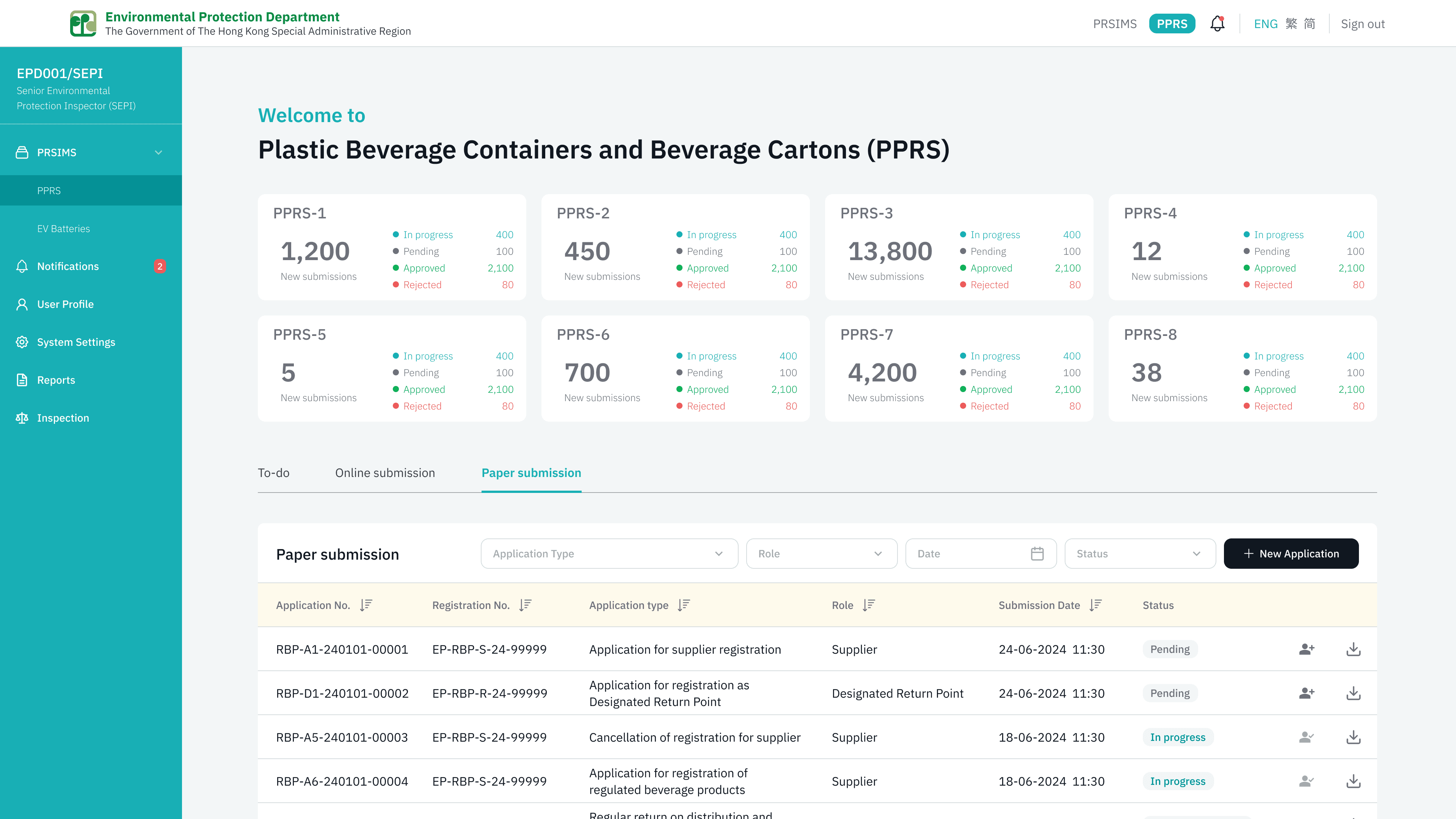
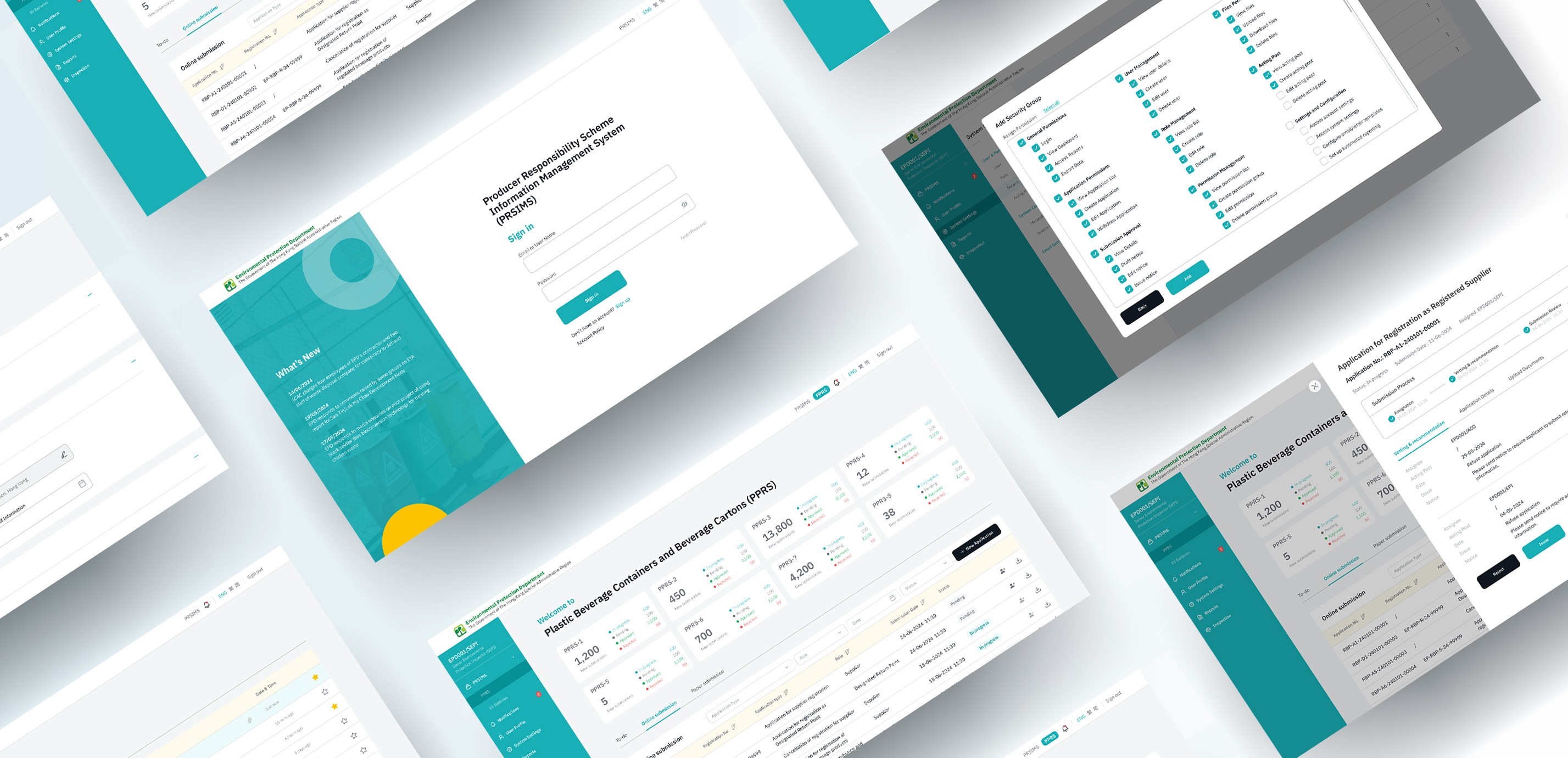
The dashboard is divided into two distinct sections: External User Side and Internal User Side.
• External User Side:
This section provides users with a comprehensive overview of their submissions, allowing them to track and submit applications with ease.
• Internal User Side:
Designed for government officers, this section offers a complete view of all applications and their approval statuses. I focused on optimising table design and advanced filtering capabilities to ensure that offices can quickly locate the information they need.
↓ External User Side
↓ Internal User Side
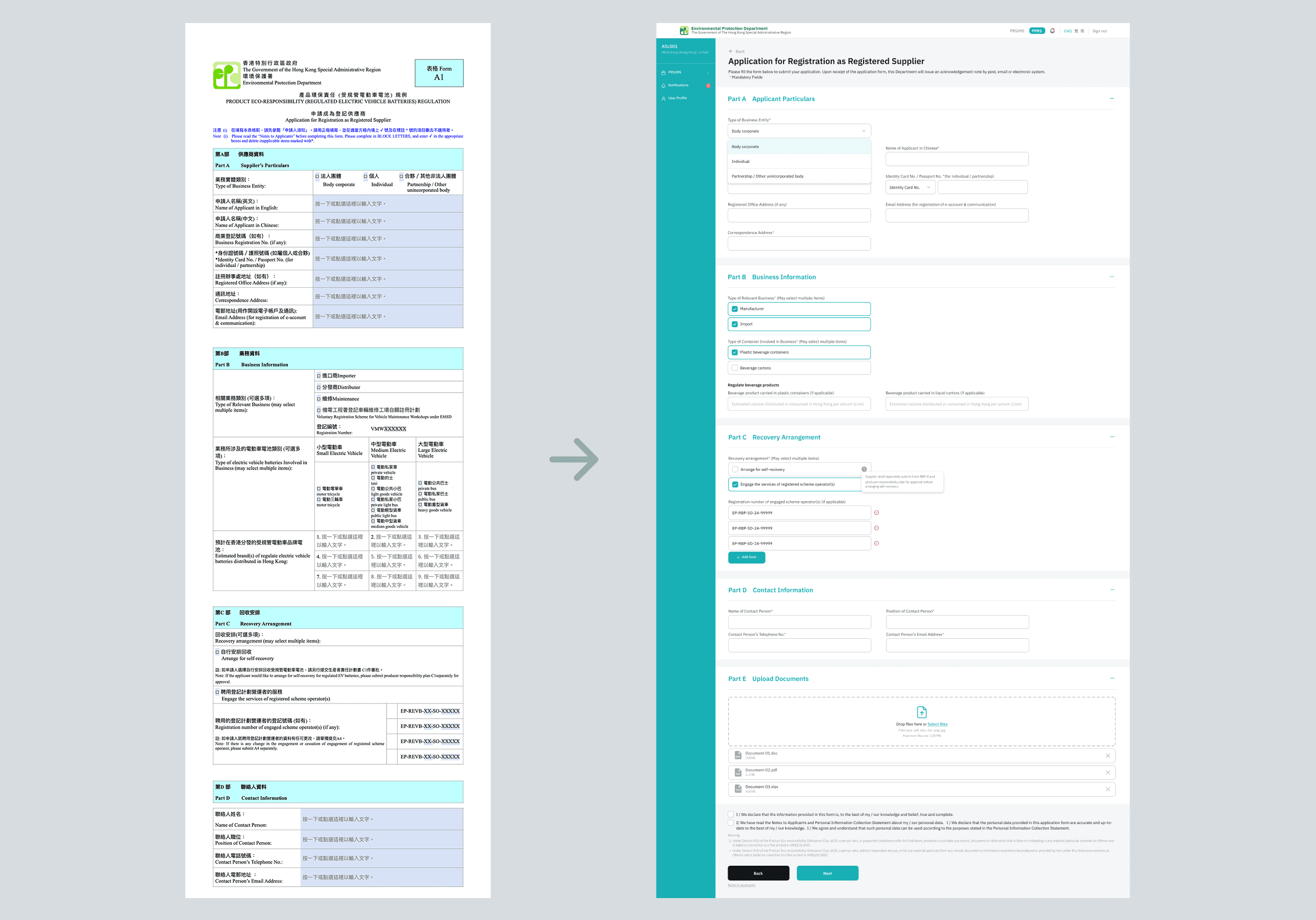
Application Form
To transform the paper application form into an online application, I first analyzed the details of each form to ensure accuracy and completeness. The design focuses on clarity and usability, transforming complex paper-based processes into an intuitive and user-friendly online format.
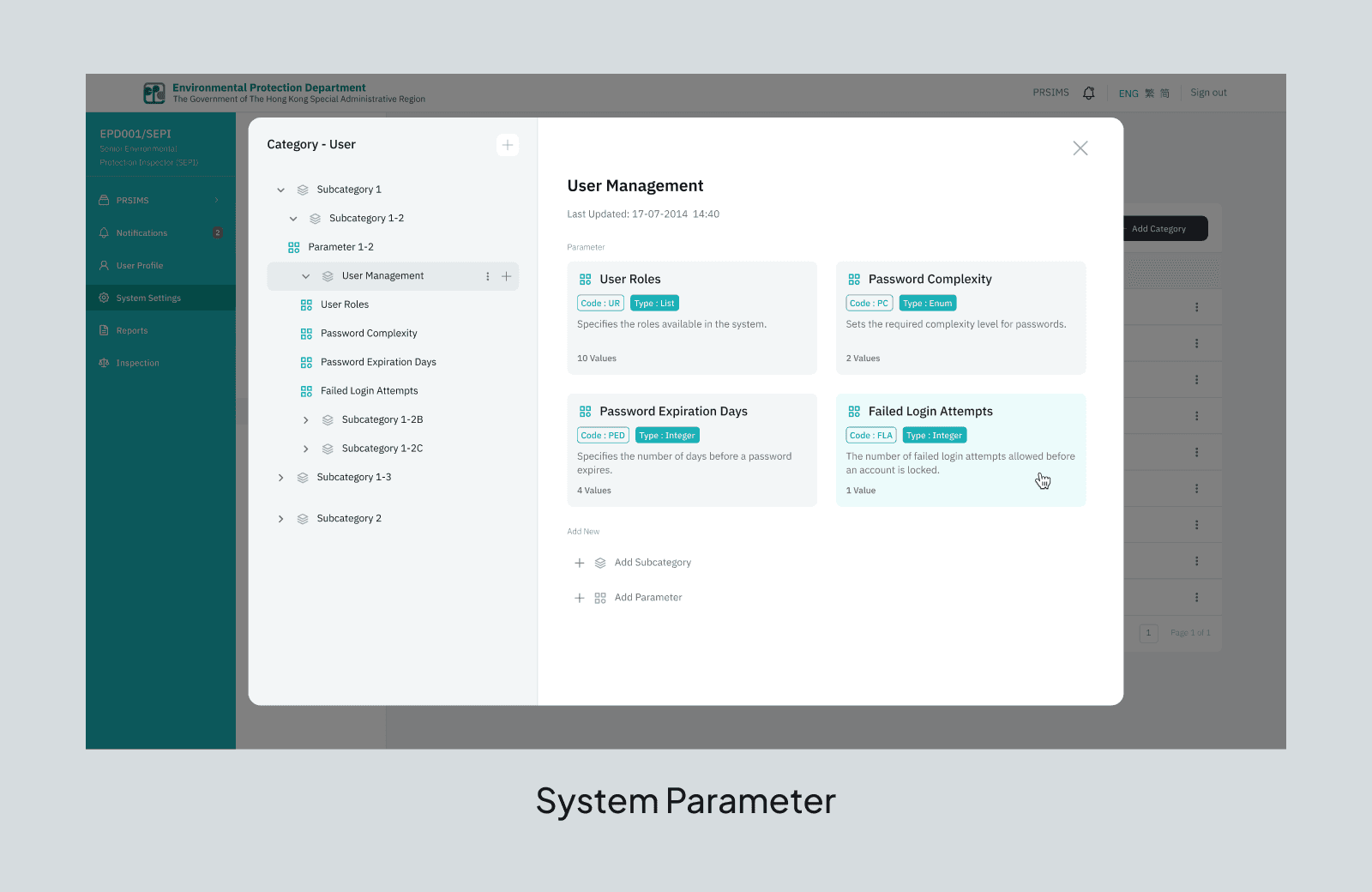
System Settings
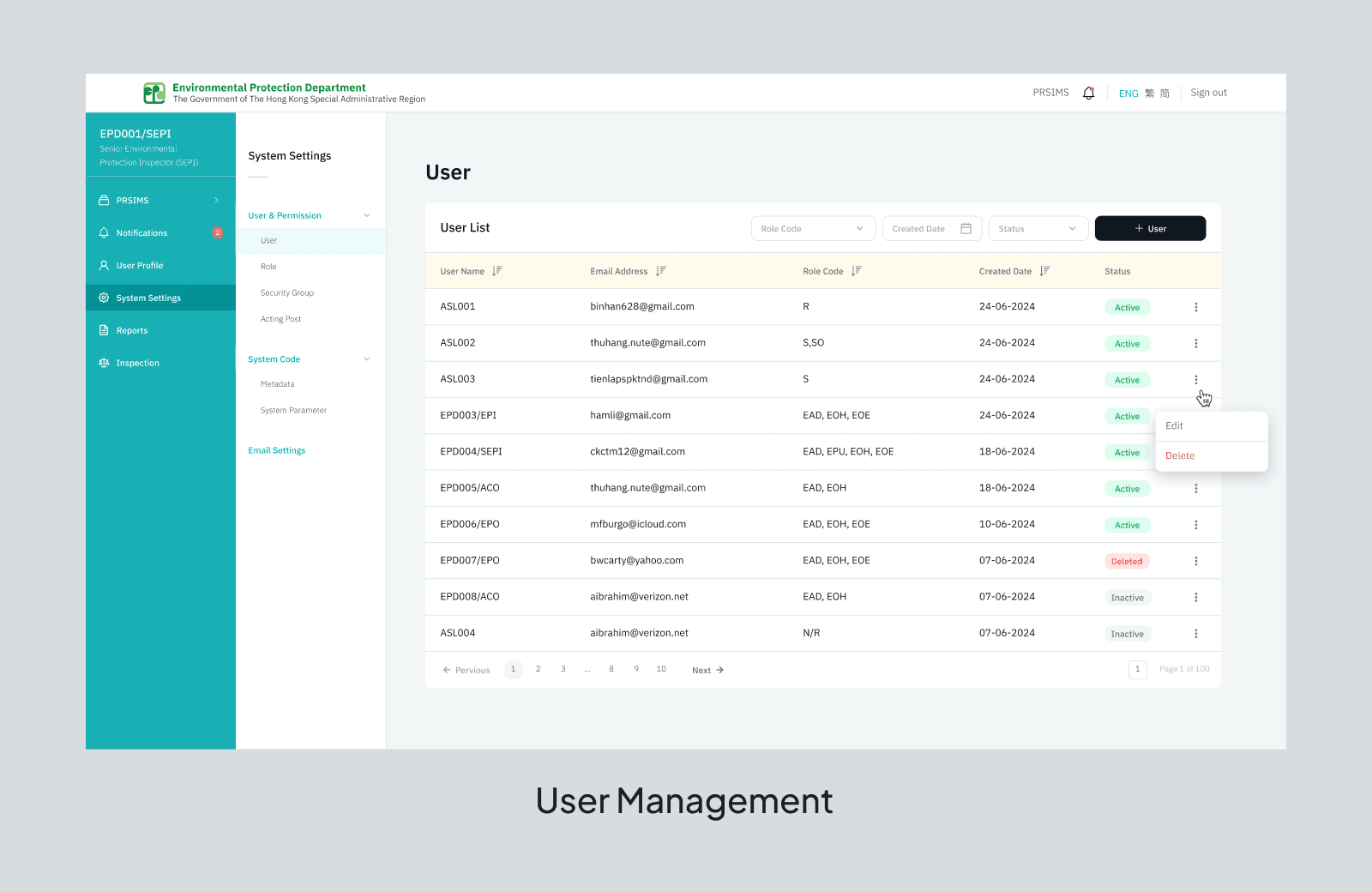
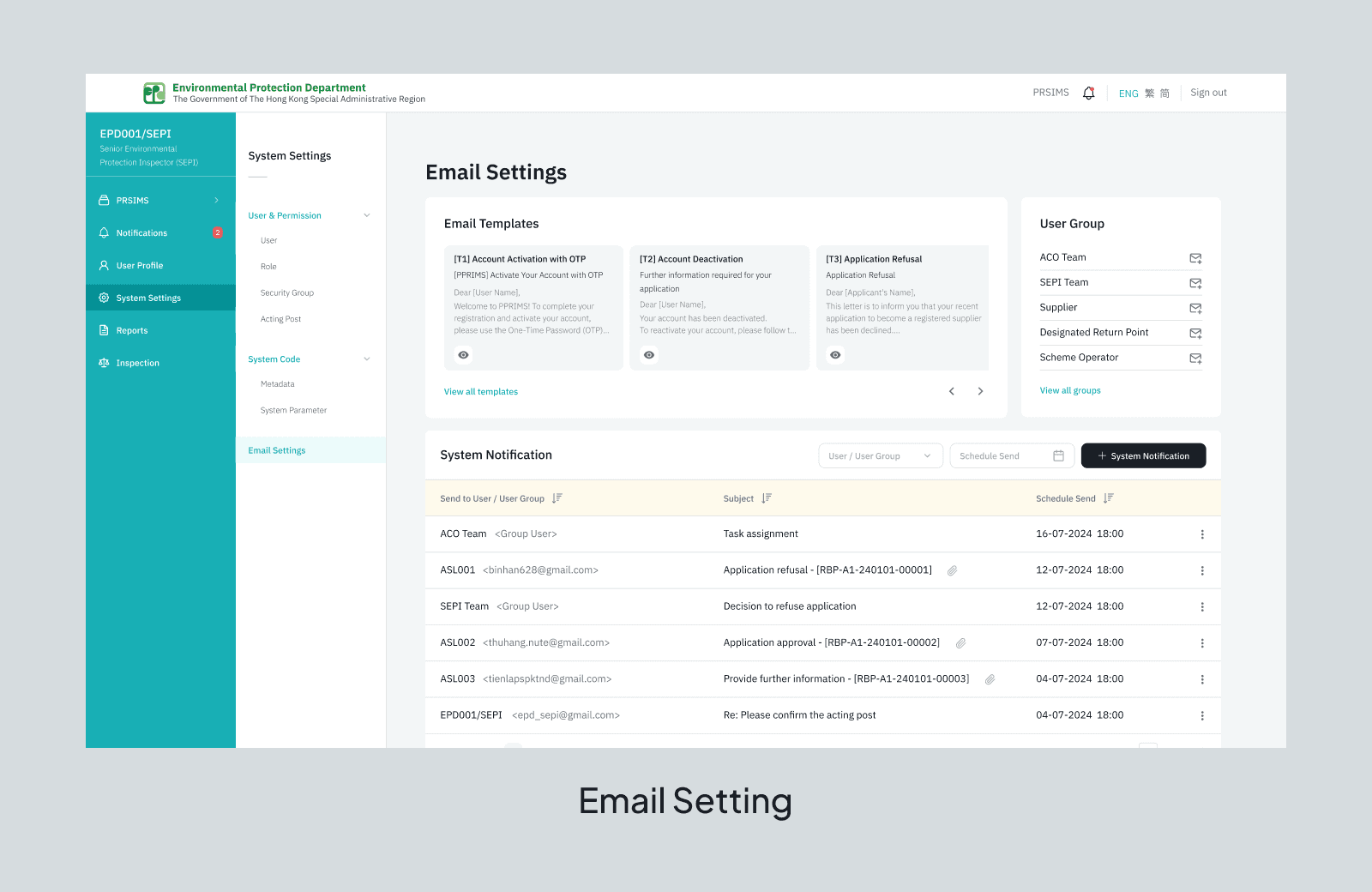
Designed an intuitive admin interface for User, Permission, and System Code Management. Simplified complex metadata structures by implementing a chronological card view and customizable table, streamlining data visualization, editing, and organizational control.
Design System.
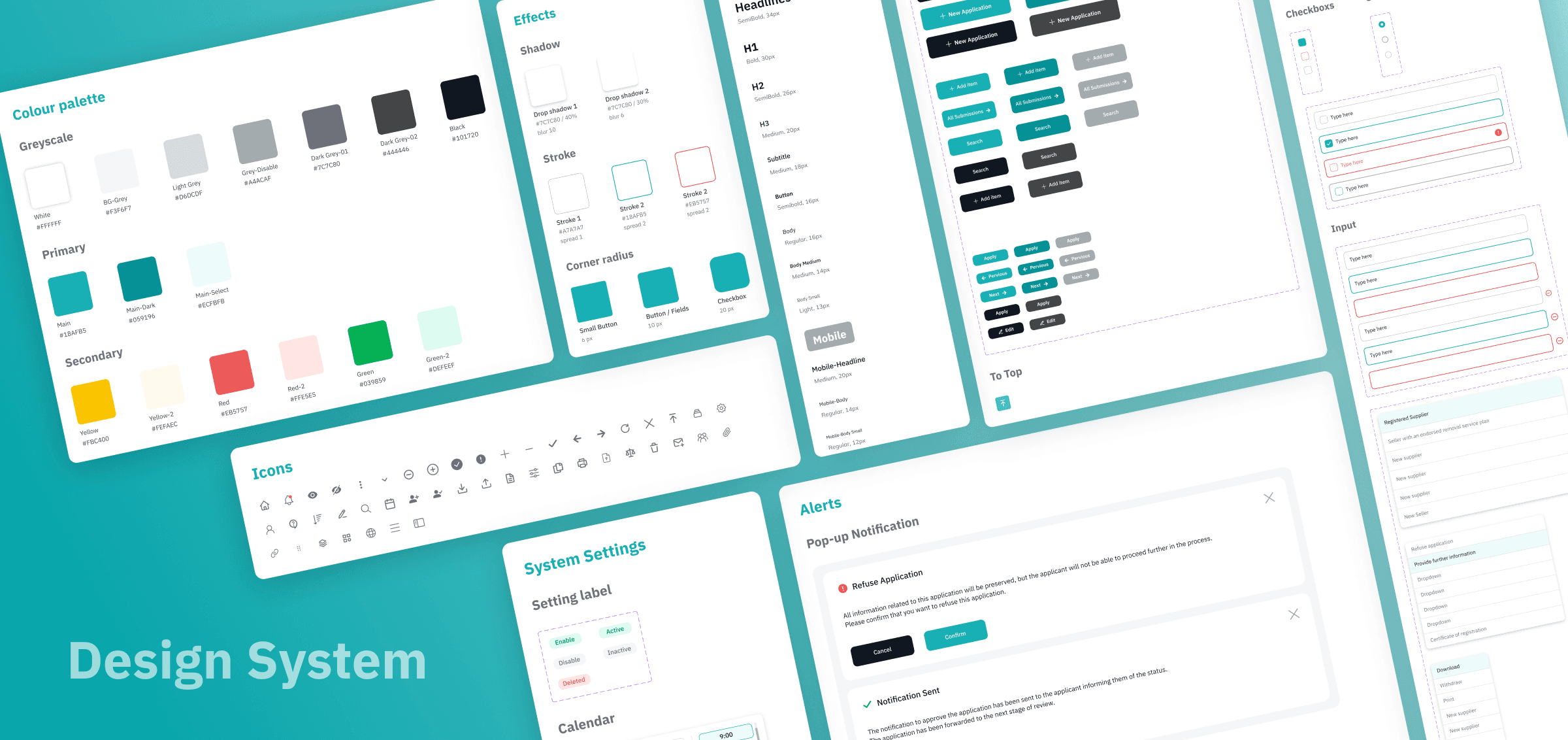
Developed a comprehensive web style guide and component library—defining buttons, forms, modules, and all interactive states to ensure cross-platform consistency, seamless user experience, and efficient system scalability.
PRMIS Administration System.
Responsibility
User Research / UXUI Design / Prototyping
Design Tools
Figma / Figjam
Target User
(External User) Operators / Suppliers / Designated Return Point
(Internal User) Admin / Officers of Hong Kong Environmental Protection Department
Purpose
To provide a secure and user-friendly online portal for the user to submit applications and submissions, change of information during/after registration, endorsement of producer responsibility plan, etc. The System shall internal processing of the applications and submissions received by EPD users in a systematic, secure, reliable, efficient and convenient manner.
Design Period
May 2024 - Sep 2024
Information Architecture.
-
System Structure
Public-Facing Pages (For External User)
・Login or Sign up
・Application guideline
Applicant Dashboard (For External User)
・Dashboard overview
・Start New application
・Application status
Admin Panel (For Internal User)
・Dashboard overview
・Application management
・Review & approval workflow
・User management
User Roles & Primary Actions
Applications
・Submit New applications
・Upload required documents
・Track application status
・Manage profile settings
・Receive notifications and updates
Administrations
・Review submitted applications
・Approve, reject, or request revisions
・Manage applicant accounts
・Generate reports and analytics
・System settings
Reviewers
・Assess applications
・Provide comments and feedback
Application Submission Flow
New Application
・Select registration type and application type
Fill in Details & Upload Attachements
・Complete required fields
・Upload required documents
Review & Confirm
・Check for errors before submitting
Submit & Track
・Receive confirmation & monitor status
System Setting
User & Permission
・User management
・Role management
・Security Group
・Acting Post
System Code
・Metadata
・System Parameter
Email Settings
Navigation & Labeling
Navigations
・System Type
・Dashboard
・Notifications
・System Settings
・Reports
・Inspection
・Languages
Toast & Pop-up Notifications
・Guides users through multi-step processes
Accessibility & Mobile Considerations
Responsive Design
・Optimized for mobile & desktop
Error Handling
・User-friendly validation messages
Application Review & Approval Workflow.
-
The system supports both online submissions and offline processing. Depending on the registration type, user roles, and specific scenarios, different workflows are implemented to ensure a seamless and efficient application process.
↓ Approval Workflow Diagram

Ideation & Prototyping.
-
Overview
Transitioning from paper-based processes to a seamless online experience in just a few clicks.
Dashboard
The dashboard is divided into two distinct sections: External User Side and Internal User Side.
• External User Side:
This section provides users with a comprehensive overview of their submissions, allowing them to track and submit applications with ease.
• Internal User Side:
Designed for government officers, this section offers a complete view of all applications and their approval statuses. I focused on optimising table design and advanced filtering capabilities to ensure that offices can quickly locate the information they need.
↓ External User Side
↓ Internal User Side
Application Form
To transform the paper application form into an online application, I first analyzed the details of each form to ensure accuracy and completeness. The design focuses on clarity and usability, transforming complex paper-based processes into an intuitive and user-friendly online format.
System Settings
Designed an intuitive admin interface for User, Permission, and System Code Management. Simplified complex metadata structures by implementing a chronological card view and customizable table, streamlining data visualization, editing, and organizational control.
Design System.
-
Developed a comprehensive web style guide and component library—defining buttons, forms, modules, and all interactive states to ensure cross-platform consistency, seamless user experience, and efficient system scalability.